무료 Image to Prompt 생성기

Create Better AI Art with Image Prompt

어떤 레퍼런스 이미지든 업로드해 Midjourney, Flux, Stable Diffusion, Sora용 재사용 가능한 AI prompt로 변환하고, 같은 workbench에서 바로 이미지나 비디오 생성을 시작할 수 있습니다. 설치는 필요 없습니다.

10M+
Prompts Generated
500K+
Active Users
7+
AI Models
Free
To Start
여기에 이미지를 클릭, 드래그, 드롭 또는 붙여넣기
PNG, JPG, WebP를 최대 10 MB까지 지원합니다.
클립보드에서 이미지를 바로 붙여넣을 수도 있습니다
출력 스타일
이미지로 시작하기

Prompt, 구조화 보기 또는 JSON을 생성합니다.

Use the mode chips above to reshape the output for Midjourney, Flux, Stable Diffusion, or a machine-readable JSON flow.

Real Output

레퍼런스 이미지를 넣으면, prompt-ready 출력이 나옵니다

이 예시들은 페이지를 꾸미기 위한 것이 아니라 제품을 증명하기 위한 것입니다. 각 예시는 workbench에서 기대할 수 있는 재사용 가능한 프롬프트 형태를 보여줍니다.

Reference image
01
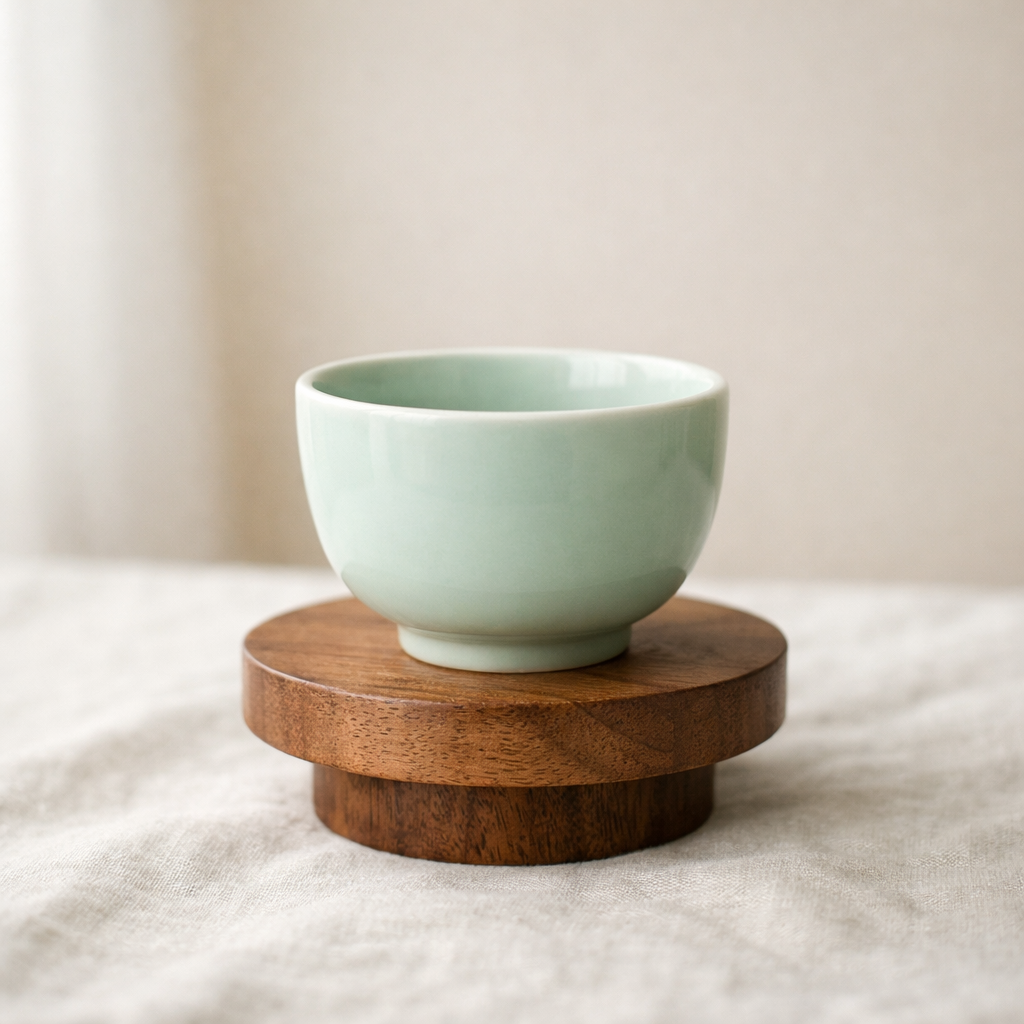
제품 정물
제품 정물

소재, 표면 마감, 테이블 스타일링, 부드러운 스튜디오 조명을 복원해 하나의 제품 이미지를 비슷한 장면에 재사용할 수 있는 Prompt로 바꿉니다.

구조화된 Prompt

나무 받침 위의 세라믹 컵, 부드러운 스튜디오 자연광, 중성적인 리넨 표면, 절제된 에디토리얼 제품 사진, 은은한 그림자, 미니멀한 프리미엄 구도.

JSON
{
  "subject": "나무 받침 위의 청자색 세라믹 컵",
  "scene": "오프화이트 리넨 위의 미니멀한 정물",
  "lighting": "부드러운 그림자를 만드는 자연 확산 창문빛",
  "style": ["에디토리얼 제품 사진", "미니멀한 프리미엄 구도"],
  "composition": "넉넉한 여백을 둔 깔끔한 프레임"
}
Reference image
02
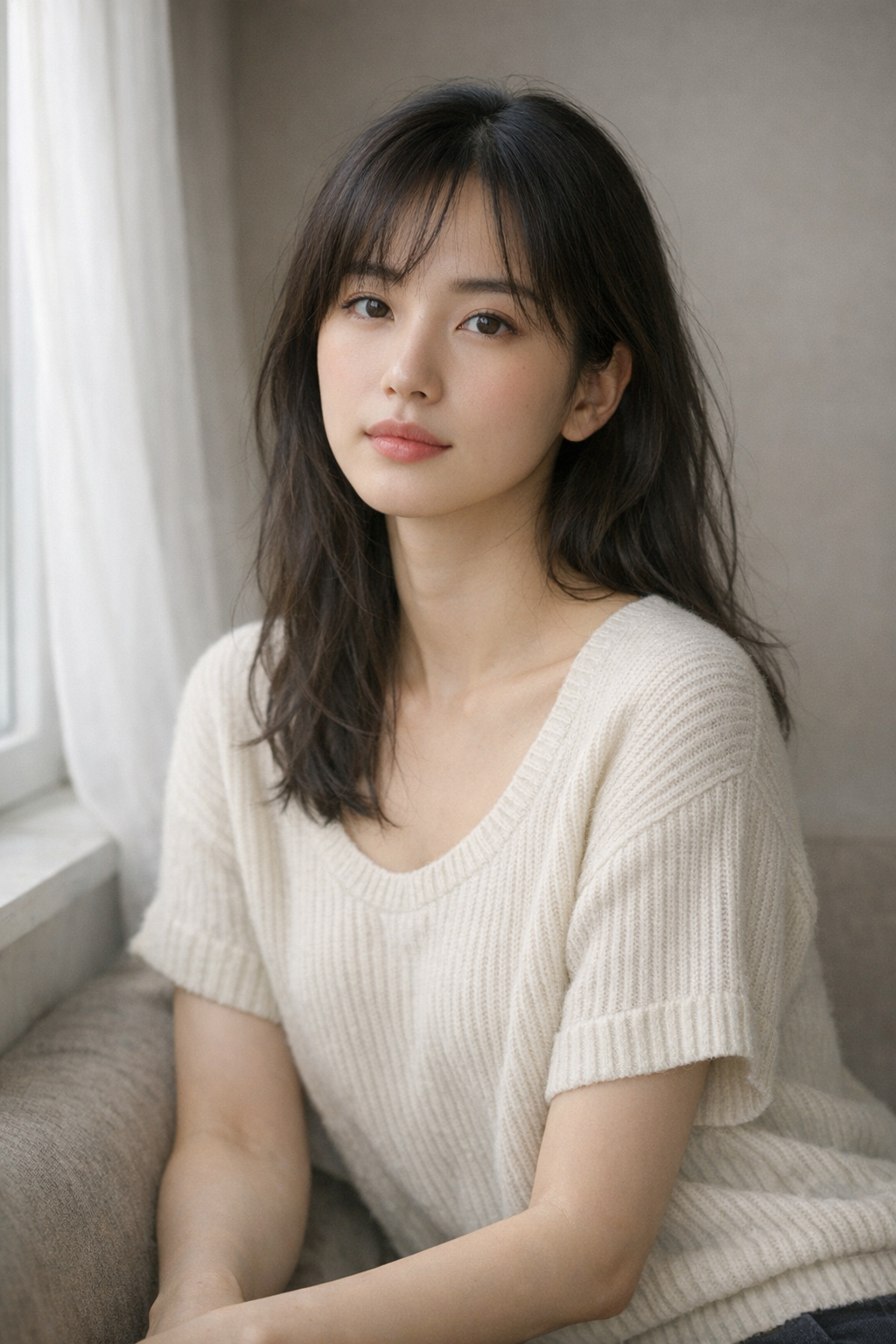
Portrait reference
Portrait reference

Extract framing, light direction, skin rendering, and emotional tone so the output reads like a prompt you can refine instead of a plain caption.

Prompt Draft

Half-body portrait in diffused side light, muted background, cinematic skin tones, intimate gaze, softly graded editorial look, realistic texture and clean composition.

JSON
{
  "subject": "A grouped arrangement of pale cartons and glass skincare bottles",
  "scene": "Minimal ecommerce-style flat lay on a soft off-white surface",
  "lighting": "Even natural daylight with clean, lightweight shadow falloff",
  "style": "Restrained brand photography with a modern premium packaging mood"
}
Reference image
03
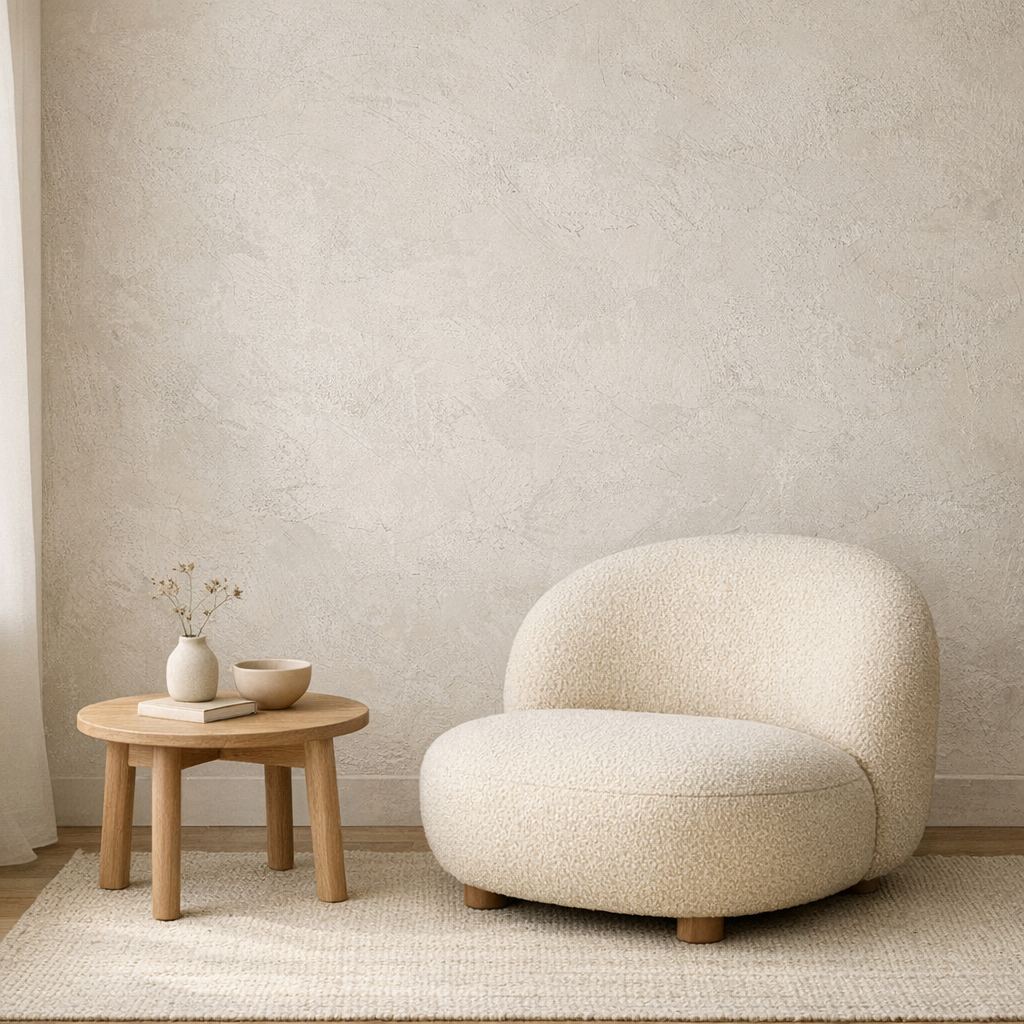
Interior mood board
Interior mood board

Capture room layout, materials, natural light, and styling cues so the image becomes a reusable interior prompt rather than a one-off description.

JSON Output

Calm neutral interior with textured plaster wall, rounded lounge chair, light wood side table, soft daylight from the left, quiet editorial styling, minimal lifestyle composition.

JSON
{
  "subject": "rounded boucle lounge chair with side table",
  "scene": "minimal interior with textured plaster wall",
  "lighting": "soft natural daylight from the left",
  "style": ["editorial interior", "warm neutral palette"],
  "composition": "clean wide frame with negative space"
}
What Our Users Say

Teams use it to move from reference image to editable prompt faster.

The strongest image to prompt pages build trust with examples and direct feedback, not vague claims. These quotes position the tool as a working part of a prompt workflow.

10M+
Prompts Generated
500K+
Users Worldwide
50+
Countries
4.9/5
Average Rating

I use it to turn product references into first-draft prompts, then refine the lighting and material language instead of starting from a blank page.

Emma Carter
Emma Carter
Product marketer

The structured view is the useful part. It separates subject, style, shot logic, and atmosphere so I can rewrite one layer without losing the whole idea.

Leo Park
Leo Park
Creative technologist

We mainly use Midjourney and Flux. Having both prompt-ready and JSON-style output on the same page makes it easy to test different workflows quickly.

Sofia Nguyen
Sofia Nguyen
Design lead
Pricing

Simple pricing that scales with your work

Start free, upgrade when you need more generations. Subscribe for recurring credits, or buy credit packs whenever you need a boost.

MonthlyYearlySave 30%
Free

Try every tool with starter credits.

$0
  • 10 credits to start
  • Image to Prompt
  • Image Describer
  • Standard quality models
Start for Free
Lite

For hobbyists and light creators.

$9/ month
  • 300 credits per month
  • All six tools unlocked
  • Commercial usage rights
  • Faster generation queue
Get Lite
Popular
Pro

For professional designers and teams.

$19/ month
  • 1,000 credits per month
  • All six tools + batch processing
  • Priority generation queue
  • Premium models (high-fidelity)
  • 50% off additional credit packs
Upgrade to Pro
Ultimate

For agencies and power users.

$39/ month
  • Unlimited generations
  • API access for automation
  • Dedicated support
  • Early access to new features
  • 50% off additional credit packs
Go Ultimate
All paid plans include commercial usage rights, priority processing, and access to all six tools.

How to use the Image to Prompt generator

Keep the homepage workflow short: bring a reference image, generate once, then refine the result instead of starting over.

01

Upload or select an image

Use your own reference image, paste an image URL, or click one of the sample examples below the tool.

02

Choose a prompt mode

Switch between General, Structured, Flux, Midjourney, Stable Diffusion, and JSON depending on what you want to do next.

03

Generate your prompt

Run the analysis and let the system recover subject, scene, lighting, and composition from the source image.

Get Started Free

Ready to create stunning AI art?

Start for free. No credit card required. Pay only when you need more.

관련 페이지

홈페이지를 Image to Prompt의 주요 진입점으로 유지하면서, 롱테일 모델 의도는 아래 보조 페이지로 확장해 보세요.

FAQ

Do you have questions before trying the tool? These are the practical issues users ask about most often.