IP
Image to Prompt
Безкоштовний генератор Image to Prompt

Create Better AI Art with Image Prompt

Завантажте будь-яке референсне зображення та перетворіть його на AI prompt для Midjourney, Flux, Stable Diffusion і Sora, а потім одразу запускайте генерацію зображення чи відео з того самого workbench. Без встановлення.

10M+
Prompts Generated
500K+
Active Users
7+
AI Models
Free
To Start
Натисніть, перетягніть або вставте зображення сюди
Підтримуються PNG, JPG і WebP до 10 MB.
Також можна вставити зображення прямо з буфера обміну
Стиль виводу
Почніть із зображення

Згенеруйте Prompt, структурований вигляд або JSON.

Use the mode chips above to reshape the output for Midjourney, Flux, Stable Diffusion, or a machine-readable JSON flow.

Real Output

Референсні зображення заходять, prompt-ready результат виходить

Ці приклади тут для того, щоб довести цінність продукту, а не прикрасити сторінку. Кожен із них показує тип повторно використовуваної структури prompt, якої можна очікувати від workbench.

Reference image
01
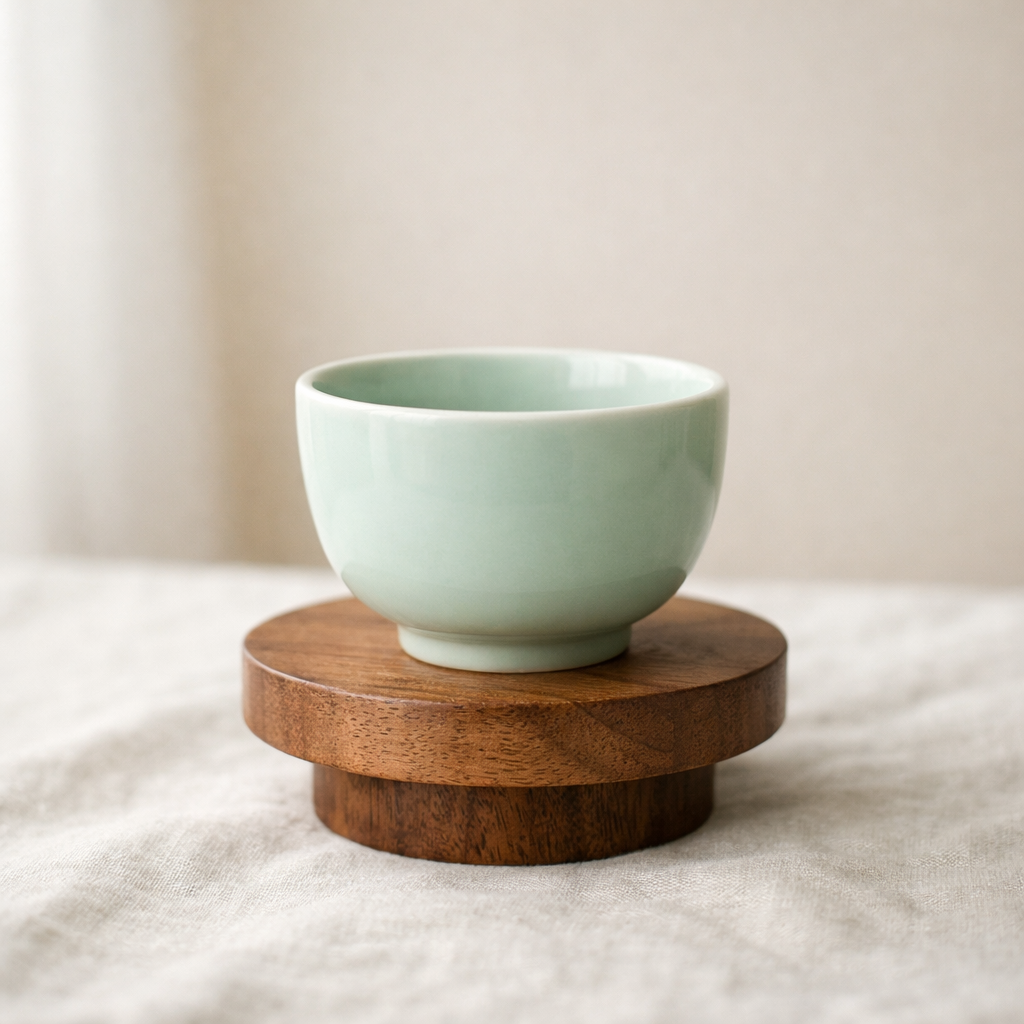
Предметна зйомка продукту

Відновіть матеріали, фактуру поверхні, настільний стиль і м’яке студійне світло, щоб одне фото продукту стало Prompt для повторного використання у схожих сценах.

Структурований Prompt

Керамічна чашка на дерев’яному постаменті, м’яке студійне денне світло, нейтральна лляна поверхня, стримана редакційна продуктова фотографія, делікатна тінь і мінімальна преміальна композиція.

JSON
{
  "subject": "селадонова керамічна чашка на дерев’яному постаменті",
  "scene": "мінімалістична композиція на льоні off-white",
  "lighting": "природне розсіяне віконне світло з м’якими тінями",
  "style": ["редакційна продуктова фотографія", "мінімальна преміальна композиція"],
  "composition": "чистий кадр із щедрим негативним простором"
}
Reference image
02
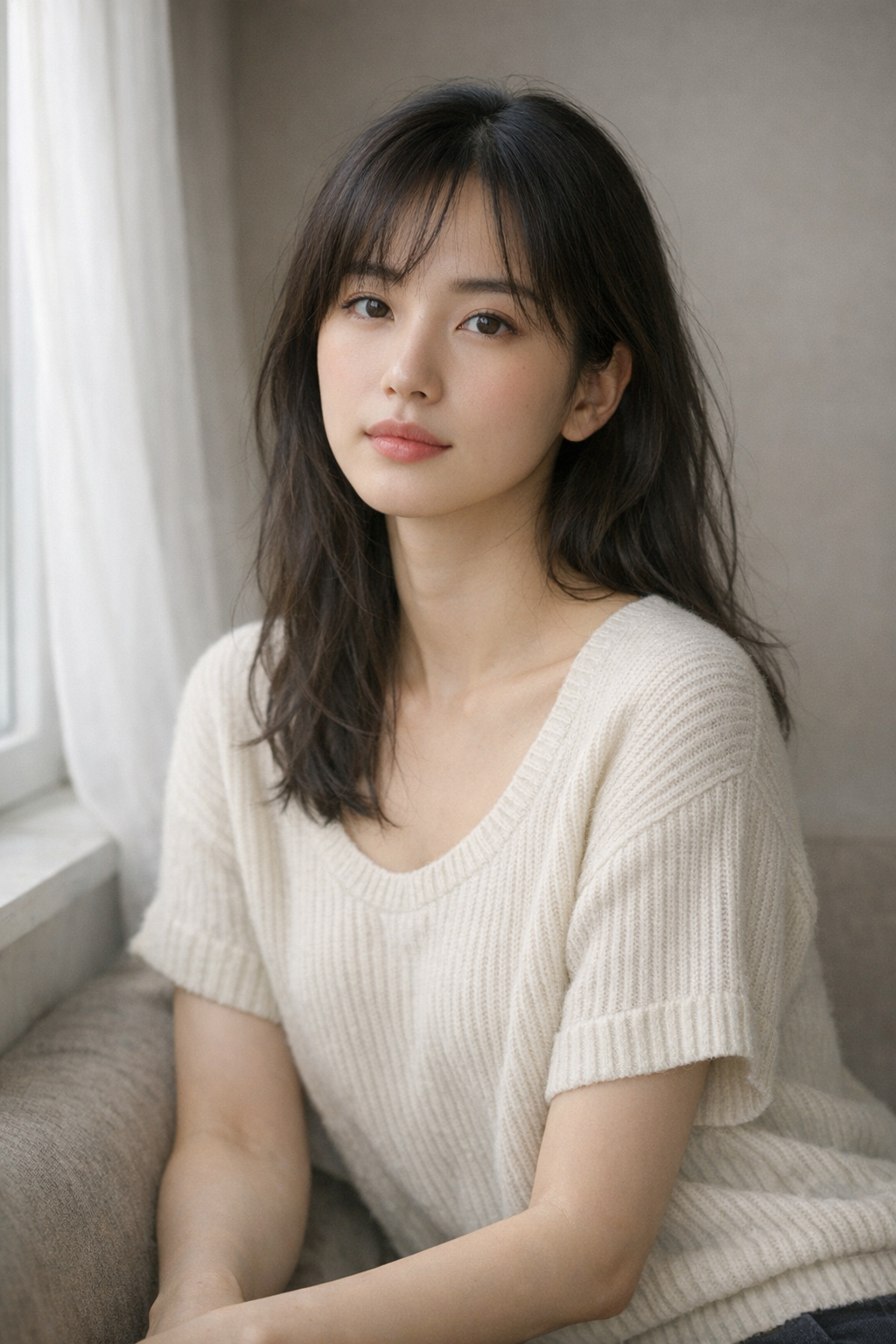
Portrait reference
Portrait reference

Extract framing, light direction, skin rendering, and emotional tone so the output reads like a prompt you can refine instead of a plain caption.

Prompt Draft

Half-body portrait in diffused side light, muted background, cinematic skin tones, intimate gaze, softly graded editorial look, realistic texture and clean composition.

JSON
{
  "subject": "A grouped arrangement of pale cartons and glass skincare bottles",
  "scene": "Minimal ecommerce-style flat lay on a soft off-white surface",
  "lighting": "Even natural daylight with clean, lightweight shadow falloff",
  "style": "Restrained brand photography with a modern premium packaging mood"
}
Reference image
03
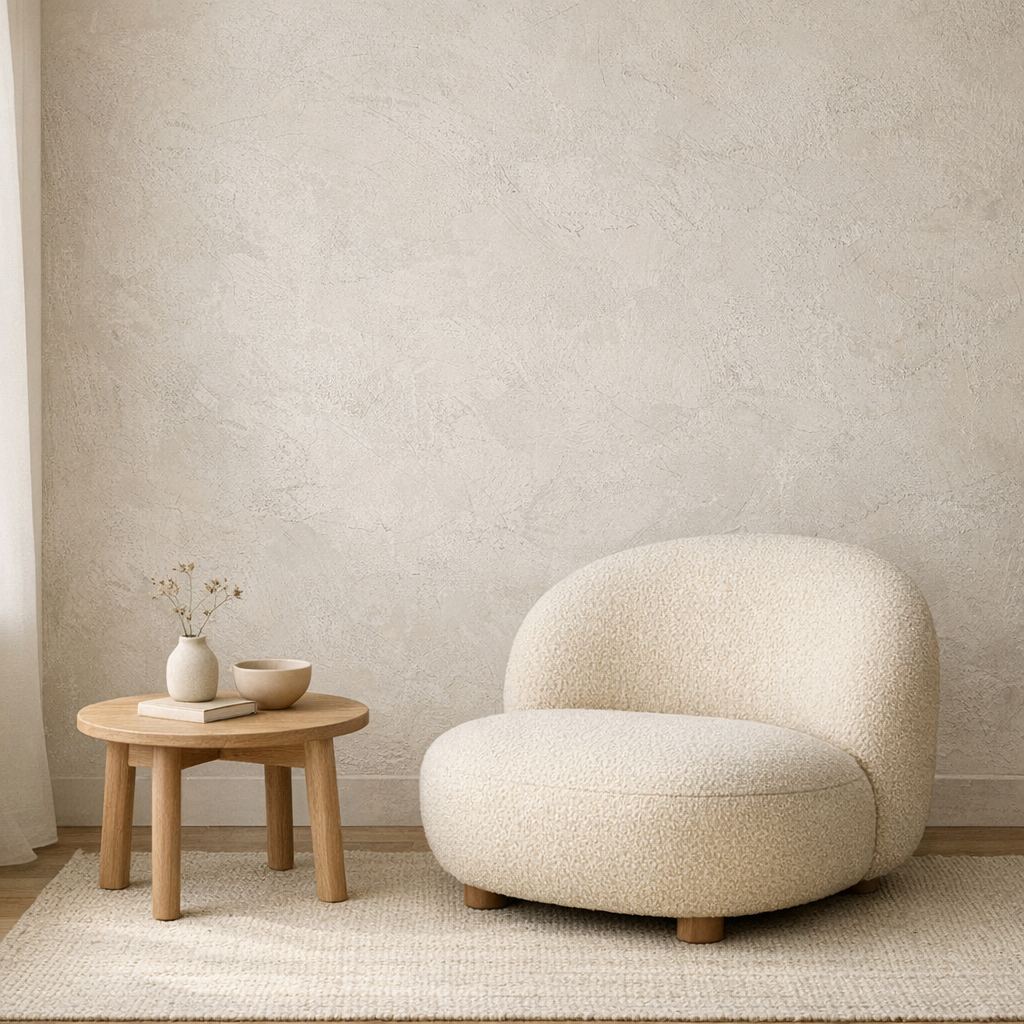
Interior mood board
Interior mood board

Capture room layout, materials, natural light, and styling cues so the image becomes a reusable interior prompt rather than a one-off description.

JSON Output

Calm neutral interior with textured plaster wall, rounded lounge chair, light wood side table, soft daylight from the left, quiet editorial styling, minimal lifestyle composition.

JSON
{
  "subject": "rounded boucle lounge chair with side table",
  "scene": "minimal interior with textured plaster wall",
  "lighting": "soft natural daylight from the left",
  "style": ["editorial interior", "warm neutral palette"],
  "composition": "clean wide frame with negative space"
}
What Our Users Say

Teams use it to move from reference image to editable prompt faster.

The strongest image to prompt pages build trust with examples and direct feedback, not vague claims. These quotes position the tool as a working part of a prompt workflow.

10M+
Prompts Generated
500K+
Users Worldwide
50+
Countries
4.9/5
Average Rating

I use it to turn product references into first-draft prompts, then refine the lighting and material language instead of starting from a blank page.

Emma Carter
Emma Carter
Product marketer

The structured view is the useful part. It separates subject, style, shot logic, and atmosphere so I can rewrite one layer without losing the whole idea.

Leo Park
Leo Park
Creative technologist

We mainly use Midjourney and Flux. Having both prompt-ready and JSON-style output on the same page makes it easy to test different workflows quickly.

Sofia Nguyen
Sofia Nguyen
Design lead
Pricing

Simple pricing that scales with your work

Start free, upgrade when you need more generations. Subscribe for recurring credits, or buy credit packs whenever you need a boost.

MonthlyYearlySave 30%
Free

Try every tool with starter credits.

$0
  • 10 credits to start
  • Image to Prompt
  • Image Describer
  • Standard quality models
Start for Free
Lite

For hobbyists and light creators.

$9/ month
  • 300 credits per month
  • All six tools unlocked
  • Commercial usage rights
  • Faster generation queue
Get Lite
Popular
Pro

For professional designers and teams.

$19/ month
  • 1,000 credits per month
  • All six tools + batch processing
  • Priority generation queue
  • Premium models (high-fidelity)
  • 50% off additional credit packs
Upgrade to Pro
Ultimate

For agencies and power users.

$39/ month
  • Unlimited generations
  • API access for automation
  • Dedicated support
  • Early access to new features
  • 50% off additional credit packs
Go Ultimate
All paid plans include commercial usage rights, priority processing, and access to all six tools.

How to use the Image to Prompt generator

Keep the homepage workflow short: bring a reference image, generate once, then refine the result instead of starting over.

01

Upload or select an image

Use your own reference image, paste an image URL, or click one of the sample examples below the tool.

02

Choose a prompt mode

Switch between General, Structured, Flux, Midjourney, Stable Diffusion, and JSON depending on what you want to do next.

03

Generate your prompt

Run the analysis and let the system recover subject, scene, lighting, and composition from the source image.

Get Started Free

Ready to create stunning AI art?

Start for free. No credit card required. Pay only when you need more.

FAQ

Do you have questions before trying the tool? These are the practical issues users ask about most often.