免費 Image to Prompt 產生器

Image to Prompt: 把任意圖片變成可直接用的 AI 提示詞

上傳任何參考圖片,將其轉換為適用於 Midjourney、Flux、Stable Diffusion 與 Sora 的可重複使用 AI prompt,然後直接在同一個 workbench 中啟動圖像或影片生成。無需安裝。

10M+
Prompts Generated
500K+
Active Users
7+
AI Models
Free
To Start
點擊、拖放或貼上圖片到這裡
支援 PNG、JPG 和 WebP,最高 10 MB。
也可以直接從剪貼簿貼上圖片
輸出風格
從圖片開始

產生提示詞、結構化檢視或 JSON。

Use the mode chips above to reshape the output for Midjourney, Flux, Stable Diffusion, or a machine-readable JSON flow.

Real Output

參考圖片進,prompt-ready 輸出出

這些範例存在是為了證明產品能力,而不是裝飾頁面。每個範例都展示了你可以從 workbench 預期得到的可重複使用 prompt 結構。

Reference image
01
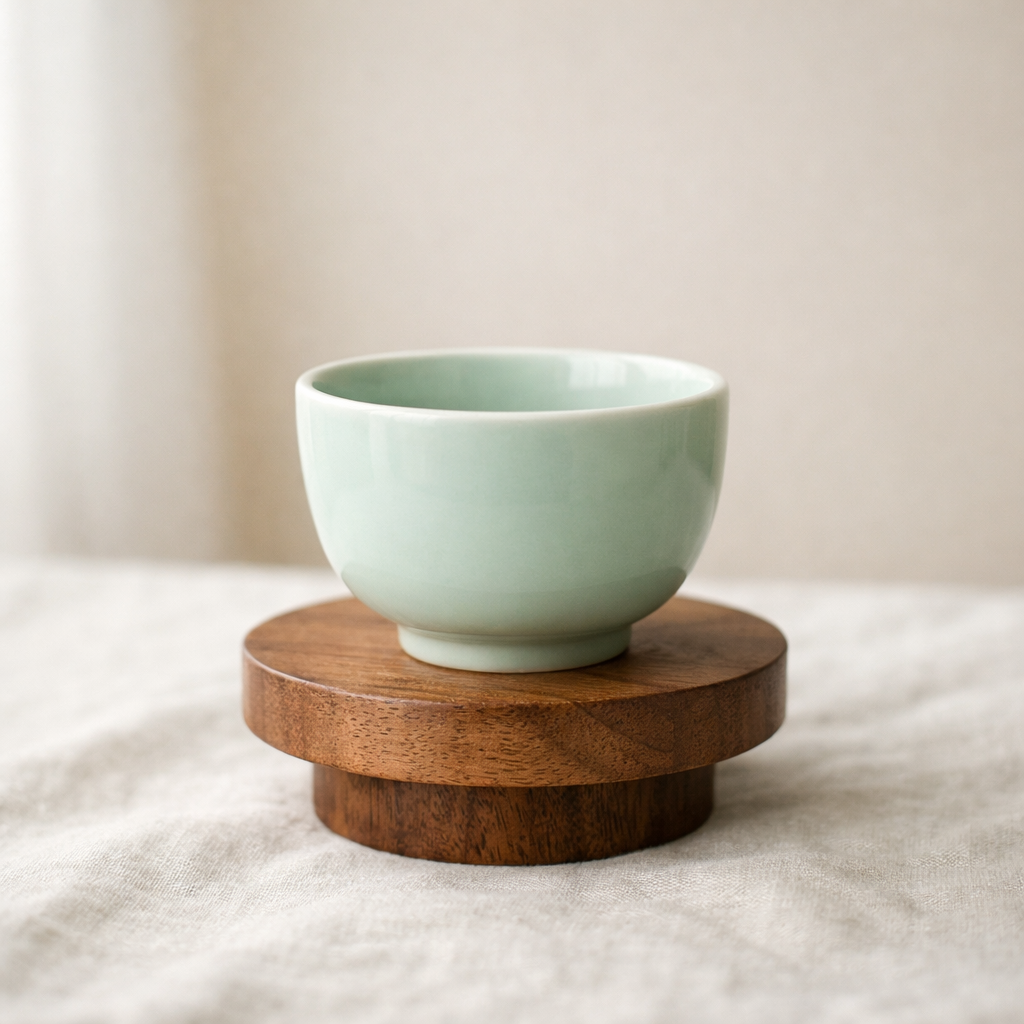
產品靜物
產品靜物

還原材質、表面質感、桌面造型與柔和棚拍光,讓單張產品圖變成可在相似場景中重複使用的 Prompt。

結構化 Prompt

木質台座上的陶瓷杯,柔和棚拍日光,中性亞麻表面,克制的編輯風產品攝影,細膩陰影過渡,極簡高級構圖。

JSON
{
  "subject": "木質台座上的青瓷色陶瓷杯",
  "scene": "米白亞麻上的極簡靜物",
  "lighting": "自然漫射窗光與柔和陰影",
  "style": ["編輯風產品攝影", "極簡高級構圖"],
  "composition": "留白充足的乾淨畫面"
}
Reference image
02
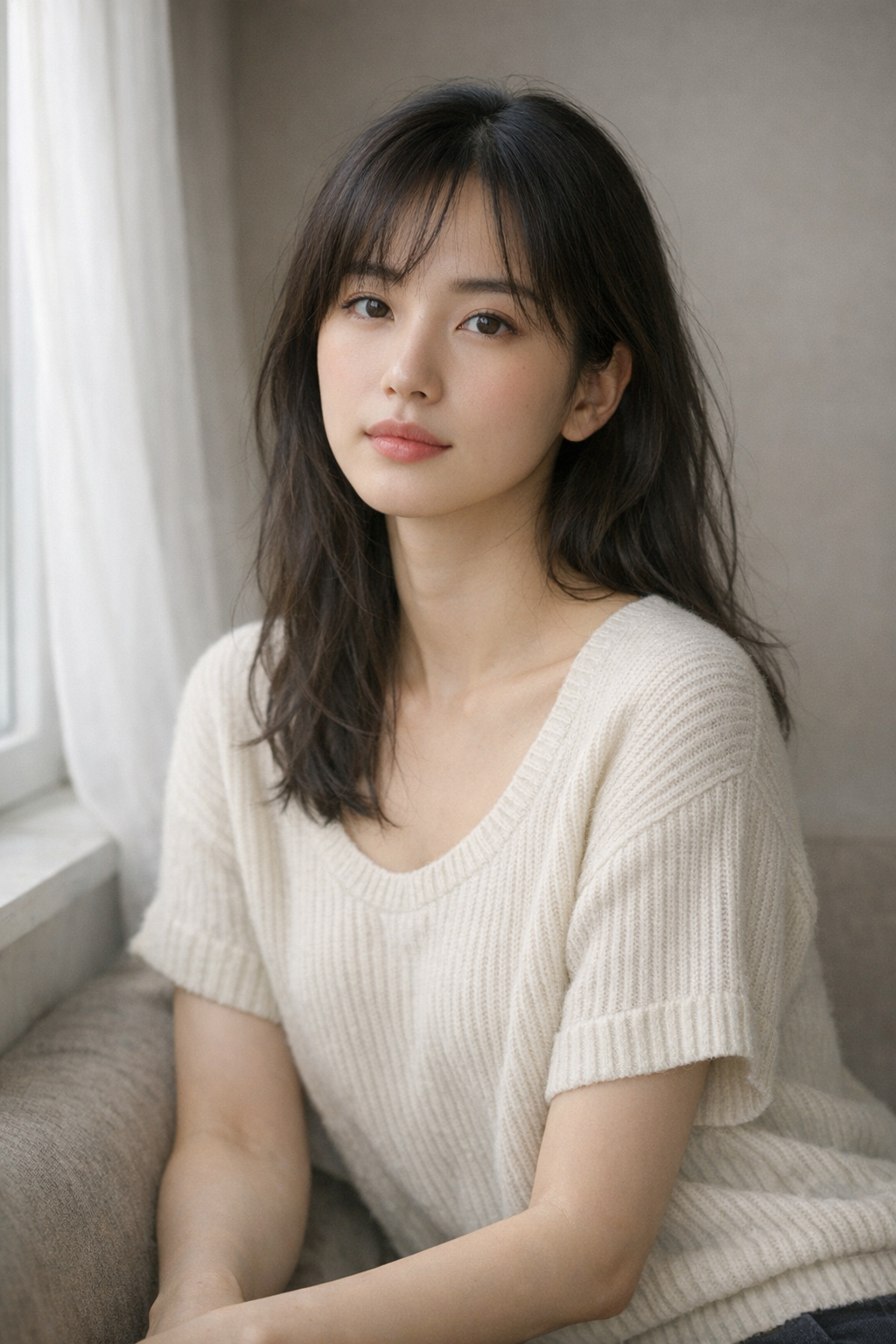
Portrait reference
Portrait reference

Extract framing, light direction, skin rendering, and emotional tone so the output reads like a prompt you can refine instead of a plain caption.

Prompt Draft

Half-body portrait in diffused side light, muted background, cinematic skin tones, intimate gaze, softly graded editorial look, realistic texture and clean composition.

JSON
{
  "subject": "A grouped arrangement of pale cartons and glass skincare bottles",
  "scene": "Minimal ecommerce-style flat lay on a soft off-white surface",
  "lighting": "Even natural daylight with clean, lightweight shadow falloff",
  "style": "Restrained brand photography with a modern premium packaging mood"
}
Reference image
03
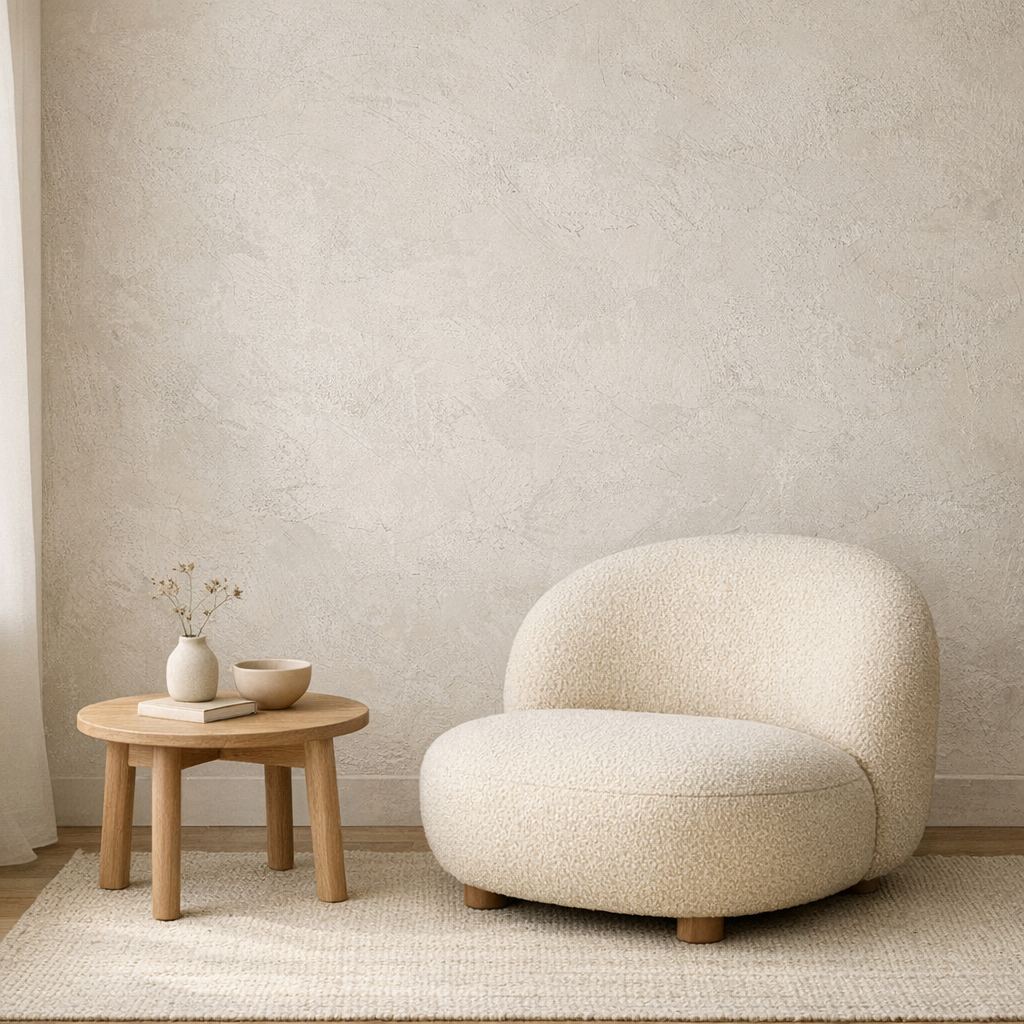
Interior mood board
Interior mood board

Capture room layout, materials, natural light, and styling cues so the image becomes a reusable interior prompt rather than a one-off description.

JSON Output

Calm neutral interior with textured plaster wall, rounded lounge chair, light wood side table, soft daylight from the left, quiet editorial styling, minimal lifestyle composition.

JSON
{
  "subject": "rounded boucle lounge chair with side table",
  "scene": "minimal interior with textured plaster wall",
  "lighting": "soft natural daylight from the left",
  "style": ["editorial interior", "warm neutral palette"],
  "composition": "clean wide frame with negative space"
}
What Our Users Say

Teams use it to move from reference image to editable prompt faster.

The strongest image to prompt pages build trust with examples and direct feedback, not vague claims. These quotes position the tool as a working part of a prompt workflow.

10M+
Prompts Generated
500K+
Users Worldwide
50+
Countries
4.9/5
Average Rating

I use it to turn product references into first-draft prompts, then refine the lighting and material language instead of starting from a blank page.

Emma Carter
Emma Carter
Product marketer

The structured view is the useful part. It separates subject, style, shot logic, and atmosphere so I can rewrite one layer without losing the whole idea.

Leo Park
Leo Park
Creative technologist

We mainly use Midjourney and Flux. Having both prompt-ready and JSON-style output on the same page makes it easy to test different workflows quickly.

Sofia Nguyen
Sofia Nguyen
Design lead
Pricing

Simple pricing that scales with your work

Start free, upgrade when you need more generations. Subscribe for recurring credits, or buy credit packs whenever you need a boost.

MonthlyYearlySave 30%
Free

Try every tool with starter credits.

$0
  • 10 credits to start
  • Image to Prompt
  • Image Describer
  • Standard quality models
Start for Free
Lite

For hobbyists and light creators.

$9/ month
  • 300 credits per month
  • All six tools unlocked
  • Commercial usage rights
  • Faster generation queue
Get Lite
Popular
Pro

For professional designers and teams.

$19/ month
  • 1,000 credits per month
  • All six tools + batch processing
  • Priority generation queue
  • Premium models (high-fidelity)
  • 50% off additional credit packs
Upgrade to Pro
Ultimate

For agencies and power users.

$39/ month
  • Unlimited generations
  • API access for automation
  • Dedicated support
  • Early access to new features
  • 50% off additional credit packs
Go Ultimate
All paid plans include commercial usage rights, priority processing, and access to all six tools.

How to use the Image to Prompt generator

Keep the homepage workflow short: bring a reference image, generate once, then refine the result instead of starting over.

01

Upload or select an image

Use your own reference image, paste an image URL, or click one of the sample examples below the tool.

02

Choose a prompt mode

Switch between General, Structured, Flux, Midjourney, Stable Diffusion, and JSON depending on what you want to do next.

03

Generate your prompt

Run the analysis and let the system recover subject, scene, lighting, and composition from the source image.

免費開始

Ready to create stunning AI art?

Start for free. No credit card required. Pay only when you need more.

FAQ

Do you have questions before trying the tool? These are the practical issues users ask about most often.